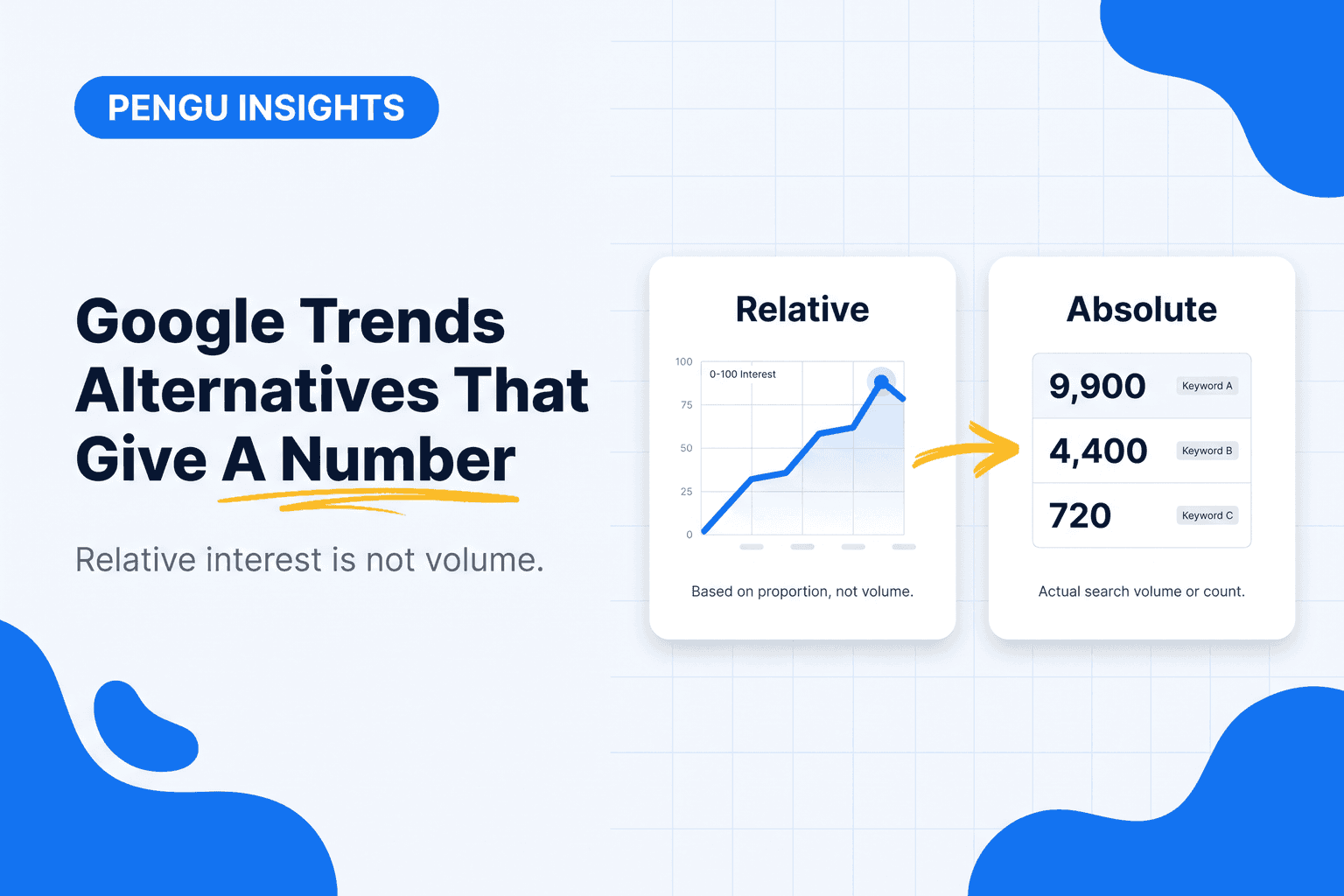
Google Trends is free, fast, and constantly misread, which is why people go looking for Google Trends alternatives: not a nicer chart, a real number. It does not tell you how many people search for something. It tells you how interest in a term compares to its own peak, on a 0 to 100 scale, in the region and window you picked.
That distinction is where most bad keyword decisions start.
Key takeaways
- Trends gives relative interest, never absolute volume.
- A score of 100 on a term with 40 searches looks identical to 100 on a term with 400,000.
- For numbers, you need Keyword Planner or a paid keyword tool.
- Trends still wins for seasonality, breakouts and regional splits.
Video: what Google Trends does best, before you replace it
Twelve minutes of someone using Google Trends well, which is worth watching before you pay for an alternative. Most of the complaints about Trends come from using it badly.
Three things worth taking from it:
- Pick the search term, not the topic, and widen the window. The default is one country and 24 hours. Switch to worldwide and five years before you draw any conclusion.
- Related queries are free keyword research. The "breakout" queries under a term are real phrases people type, and they are the ones a volume tool will confirm later.
- The compare feature is the point. One line tells you nothing about size. Two lines tell you which of two ideas your market wants more, right now.
Where Trends stops, and where the alternatives below start: it still will not tell you how many searches any of those lines represent.
What Google Trends is genuinely best at
Three jobs where no alternative beats it:
- Seasonality. Five years of a term at a glance tells you when to publish and when to spend.
- Breakouts. Rising queries surface things too new to have reliable volume anywhere.
- Regional splits. Interest by country and region, which most keyword tools charge for.
Keep using it for those. Just never quote its numbers as volume.
The 6 Google Trends alternatives
1. Google Keyword Planner: free and closest to the source
Free with any Google Ads account. Gives real volume ranges straight from Google. Without active ad spend the ranges get wide ("1K to 10K"), which is still more useful than a 0-100 index.
Best for: ground-truth volume on a budget. Weakness: bucketed ranges, and it groups near-identical terms together.
2. Semrush: volume, difficulty and the SERP
$139.95 a month (Semrush). Precise volume, keyword difficulty, CPC and who currently ranks. If you already pay for it, you do not need a separate trends tool. Our Semrush alternatives post covers the cheaper routes.
3. Ahrefs Keywords Explorer
$129 a month (Ahrefs). Same category, strongest on click data: how many searches actually produce a click, which matters more every year as AI answers absorb the rest.
4. Exploding Topics
Free tier, paid from roughly $39 a month (Exploding Topics). Built specifically for the job Trends does with breakouts: surfacing terms before they are obvious. Curated rather than exhaustive.
5. TikTok Creative Center and platform trend pages
Free. Google Trends does not see social. If your category moves on TikTok, the Creative Center top ads and hashtags are the equivalent surface, and they are public.
6. Pengu Insights
Ours. From $39 a month you get search volume, intent, competition and difficulty per keyword alongside the competitor and social layer, plus AI search volume: how often a term is asked of AI assistants rather than typed into Google. That last one is a gap none of the tools above fill yet.
Best for: teams that want the volume number and the competitive context in one place. Skip it if: a free keyword planner already answers your question.
Is Google Trends accurate?
Accurate for direction, silent on size. Trends normalises every query to a 0 to 100 scale where 100 is the peak of interest in the window you chose. Two consequences follow:
- A 100 for a tiny niche and a 100 for a huge one look identical. The scale hides volume by design.
- Small terms are sampled and rounded. Below a threshold Google does not publish, the line goes flat at zero even when people are searching.
So a rising line is real. A comparison between two lines is real. A number read off the axis is not a number of searches. That is the gap every alternative below fills, and the quickest way to see it: paste the same terms into our free keyword volume checker and compare the monthly figures with the Trends curve.
Is there a Google Trends API?
Not an official one. Google has never published a supported Trends API, and the unofficial libraries that scrape the site break whenever the page changes and get rate-limited quickly. If you need trend data inside a script or a dashboard, the alternatives with published APIs and absolute volumes are the practical route; the keyword and SERP endpoints in Pengu Insights return dated volume figures you can automate against.
Reading a trend line without fooling yourself
Four rules:
- Always check the window. A term "collapsing" over 12 months may be flat over 5 years with normal seasonality.
- Compare terms, not scores. Trends is built for comparison. One line alone tells you almost nothing.
- Watch for definition changes. A spike may be a news event that shares your keyword and buys nothing.
- Confirm with volume before you commit. A rising 0-100 line on a term with 90 monthly searches is not a content strategy.
The workflow most teams should run
- Trends first, to see whether a topic is rising, seasonal or dying.
- Keyword Planner or a paid tool second, for the actual number.
- The SERP third, to see what format currently wins. Our post on search intent covers how to read that.
- Competitors fourth, to see who already ranks and whether you can realistically displace them. Competitor tracking covers how to watch that on a schedule, and how to check website traffic covers sizing the prize.
Skipping step two is how teams end up publishing beautifully for an audience of forty people a month.
For search volume and trend by keyword, with real numbers instead of an index, use the Keyword Research tool in Pengu Insights. Free plan, no card.
Frequently asked questions
What is the best Google Trends alternative?
For absolute volume, Keyword Planner (free) or Semrush, Ahrefs and Pengu Insights (paid). For cultural and social trends, Exploding Topics and platform-native trend surfaces.
Why does Google Trends not show search volume?
By design. It normalises interest to a 0-100 scale relative to the peak in your window and region, so it answers "is this rising" and never "how many".
Is Google Trends still accurate in 2026?
Yes, for what it measures. The common error is reading a normalised index as traffic.
What is the best free Google Trends alternative?
Google Keyword Planner, free with a Google Ads account, gives real volume ranges from Google itself.
Can I see trends for TikTok and Instagram?
Not in Google Trends. Use TikTok Creative Center and native trend surfaces, or a social competitive intelligence tool.
Does Google Trends have an API?
No official one. Unofficial scrapers exist and break often. For trend data in a script or dashboard, use a keyword tool with a published API that returns absolute search volumes.
Written by

Founder of Pengu Insights. Competitive intelligence practitioner for DTC brands and marketing agencies.