Most sites do not need another blog factory. They need cleaner titles, consistent Open Graph tags, honest alt text, and fewer silent HTML mistakes on pages that already rank. In 2024, the HTTP Archive Web Almanac showed that a majority of sites still failed Core Web Vitals on mobile in CrUX-linked datasets (HTTP Archive Web Almanac, 2024). Technical and on-page hygiene remains unfinished work. An on-page SEO AI agent helps you find that work fast.
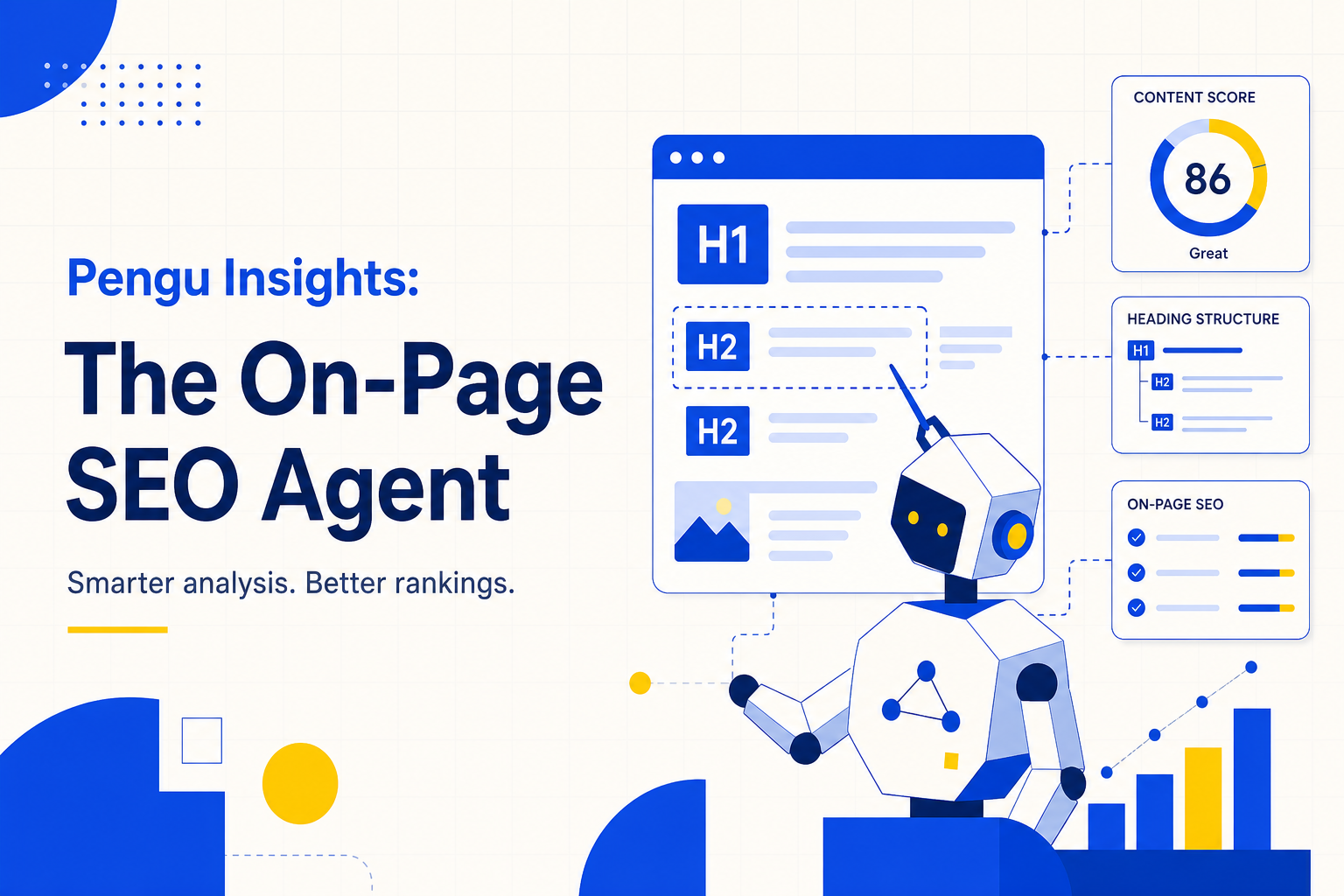
This guide covers an n8n-style agent that scrapes a URL, analyzes on-page SEO with a model such as Gemini 2.5 Pro, and emails a prioritized report. It is deliberately different from our SEO automation system with AI agents post, which focuses on content production. Here we optimize what you already published. Pair findings with AI SEO audit workflows when you also need Lighthouse and keyword tables.
Key takeaways
- Audit existing URLs before you scale publishing. Broken on-page basics waste new content budget.
- Most sites still miss Core Web Vitals on mobile in Web Almanac data (HTTP Archive, 2024). On-page and performance tickets often travel together.
- Agent pattern: form URL → scrape → Gemini (or similar) audit prompt → Gmail report → human triage.
- Separate diagnosis from publishing. Do not bolt this agent onto an auto-publish pipeline without gates.
- Verify before you ticket. Models invent severity. Spot-check Open Graph, titles, and alt text in the live HTML.
Why build an on-page SEO agent instead of buying another crawler?
Crawlers are excellent at scale. An AI agent is useful when you want narrative prioritization on one URL in under a minute. Google's Search Essentials still stress helpful, reliable, people-first content and basic technical access (Google Search Essentials). An agent that reads the live page and explains mismatches in plain language helps juniors ship better tickets.
Agencies also need repeatable intake for landing pages during sales. Paste a URL. Get critical issues, quick wins, and performance notes. That is a better discovery call leave-behind than a blank checklist. Keep the crawler for sitewide debt. Keep the agent for surgical reviews.
An Open Graph title that disagrees with the HTML title is a small bug with big social cost. Agents catch those inconsistencies faster than humans scanning source by hand. Humans still decide if the fix belongs in this sprint.
What should an on-page SEO AI agent check?
In 2026, on-page audits must serve classic Google results and AI citation surfaces. Ahrefs reported that 76% of AI Overview citation sources already ranked in the organic top 10 (Ahrefs, July 2025). Clean titles, clear headings, and coherent metadata help both systems. Prompt your agent for a fixed schema so every email looks the same.
Required audit buckets
- Titles and meta descriptions: length, uniqueness, brand-only titles, keyword stuffing.
- Open Graph and Twitter cards: consistency with on-page title and description.
- Headings: single H1, logical H2 structure, question-led sections where relevant.
- Images: missing alt, decorative vs informative, oversized assets.
- Language and HTML hygiene:
langattributes, broken entities, duplicate tags. - Structured data hints: missing or conflicting schema types (flag for validation, do not invent markup).
- Performance notes: obvious heavy inline scripts or plugin bloat when visible in HTML.
- Quick wins vs critical: force the model to separate 15-minute fixes from sprint work.
Ask for evidence snippets. "Missing alt on hero image" beats "improve accessibility" every time.
How do you build the n8n on-page agent step by step?
In our experience, the lightest reliable build uses five nodes. Google AI Studio documents free-tier Gemini access with usage limits that change over time (Google AI Studio / Gemini API). Budget for paid usage if you run this for every client URL daily.
Step 1: Create the workflow shell (10 minutes)
In n8n cloud or self-hosted, create a new workflow. Import a JSON template if you have one, or add nodes manually. Self-hosting on a cloud VM avoids the entry-level n8n cloud fee, but you own uptime and updates.
Step 2: Form trigger for the landing page URL (5 minutes)
Use a form that asks only for the URL at first. Add optional fields later: locale, primary keyword, competitor URL. Keep the first version stupid-simple so juniors actually run it.
Step 3: Scrape the page (10 to 20 minutes)
Use HTTP Request, a dedicated crawl node, or a scraping service. Prefer extracting title, meta, headings, image alts, and visible text over dumping megabytes of raw HTML into the model. Token cost and hallucination both drop when the context is cleaner.
Step 4: Connect Gemini (or another chat model) (15 minutes)
Create an API key in Google AI Studio. Save credentials in n8n. Select a current Gemini 2.5 Pro class model available in your account. Paste a locked system prompt that demands:
- Critical issues
- Quick wins
- Evidence quotes
- Suggested rewrite examples for title and meta
- Explicit "needs human verify" flags for schema and performance claims
Step 5: Email delivery via Gmail (10 minutes)
Connect Gmail credentials. Send the structured report to your team inbox, not straight to the client. Subject line formula: On-page audit: {hostname} {date}. Attach nothing until the human pass is done.
Step 6: Human triage gate (10 to 15 minutes)
Delete false positives. Merge duplicates. Map tickets to owners. Re-run after deploy. That re-run is your proof for the client.
How do agencies operationalize on-page agents without chaos?
Run the agent on a fixed URL list. Homepage, pricing, top three blogs, top three product or service pages. That set usually exposes systemic template bugs. Moz and other industry educators have long argued that template-level title and metadata issues multiply across thousands of URLs (Moz On-Page SEO guidance). Fix the template once. Re-audit samples weekly.
Cadence that works (weekly, about 45 minutes)
- Monday: batch five URLs through the agent (10 minutes).
- Monday: human triage into P0 / P1 / P2 (15 minutes).
- Midweek: ship template fixes (dev time varies).
- Friday: re-run the same five URLs and archive the diff (10 minutes).
- Friday: note competitive gaps for content, not for this agent. Hand those to your content automation pipeline or Claude research workflow.
Do not let the agent invent competitor claims. If you need rival context, feed real competitor URLs as optional inputs or run a separate CI review.
What are the limits and risks?
Models miss what the scrape misses. Client-side rendered content may look empty. Paywalled HTML will confuse the agent. Schema suggestions can be wrong. Performance commentary without Lighthouse is guesswork. For full performance and keyword context, escalate to the broader AI SEO audit workflow.
Also respect API spend. Free tiers are not SLAs. Log token usage per client. Rate-limit form submissions so strangers cannot burn your key. For AI answer readiness beyond classic on-page tags, layer GEO practices onto the pages you fix.
If you want the audit without building the agent, the AEO Audit in Pengu Insights scores a page and lists the on-page fixes in order. Free plan, no card.
Frequently asked questions
What is an on-page SEO AI agent?
It is a workflow that scrapes a live URL, sends page HTML or extracted fields to a language model, and returns a structured audit of titles, meta tags, Open Graph, headings, alt text, schema hints, and quick wins. It diagnoses existing pages. It does not replace a full SEO content production system.
How is this different from an SEO content automation system?
Content automation systems plan topics, draft posts, generate images, and publish to a CMS. An on-page SEO agent only audits and recommends fixes on pages that already exist. Keep them separate so diagnosis does not get mixed with uncontrolled publishing. See the SEO automation system guide for the publishing pattern.
Can I run an on-page SEO agent for free?
You can get close. Self-host n8n, use a free-tier Gemini API key within limits, and email reports through a connected Gmail account. API overages, hosting, and crawl tools still have costs at scale. Free tier limits change. Check Google AI Studio pricing before you promise unlimited client runs.
What on-page issues do these agents usually catch?
Common finds include mismatched Open Graph titles and descriptions, missing or weak alt text, brand-only title tags, empty lang attributes, heavy inline JavaScript, thin meta descriptions, and broken or missing structured data hints. Always verify before shipping developer tickets.
Should agencies send raw AI audit emails to clients?
No. Use the email as an internal draft. A human should triage severity, remove false positives, and attach business context. Clients should receive a cleaned priority list with owners and deadlines, not model dumps. Competitive prioritization still needs a human who understands competitor examples in the category.
What should you do next?
Stand up the five-node workflow on one staging site today. Lock the prompt. Audit five money URLs. Triage for 15 minutes. Ship template fixes before you write a single new post. When diagnosis is stable, connect insights to content and GEO work. For a live session on AI marketing workflows and competitive research, join penguinsights.io/webinar/marketing-ai.
An on-page SEO AI agent is a microscope for pages you already own. Use it to clean the foundation. Save the content factories for after the foundation holds.
Written by

Founder of Pengu Insights. Competitive intelligence practitioner for DTC brands and marketing agencies.