The best social media analytics tools promise clarity. Most deliver dashboards you check once, then ignore until the monthly report. The question in 2026 is not "do you have analytics?" It is "do your analytics change what you post next week?"
In 2026, Gitnux's Competitive Intelligence Statistics report confirmed that 61% of organizations now use AI or ML to automate portions of market and competitor analysis (Gitnux, 2026). The best analytics stacks in that 61% combine your performance data with competitor context so you know whether a dip is a platform issue or a strategy gap.
Key takeaways
- Native analytics are free but siloed. Instagram, TikTok, and LinkedIn each hide half the picture.
- Reporting depth scales with price. Enterprise tools excel at exports; SMB tools excel at speed.
- Competitor benchmarks separate good tools from great ones. Knowing your engagement rate means little without category context.
- Analytics and competitive intelligence overlap but are not the same job.
What social media analytics should answer in 2026
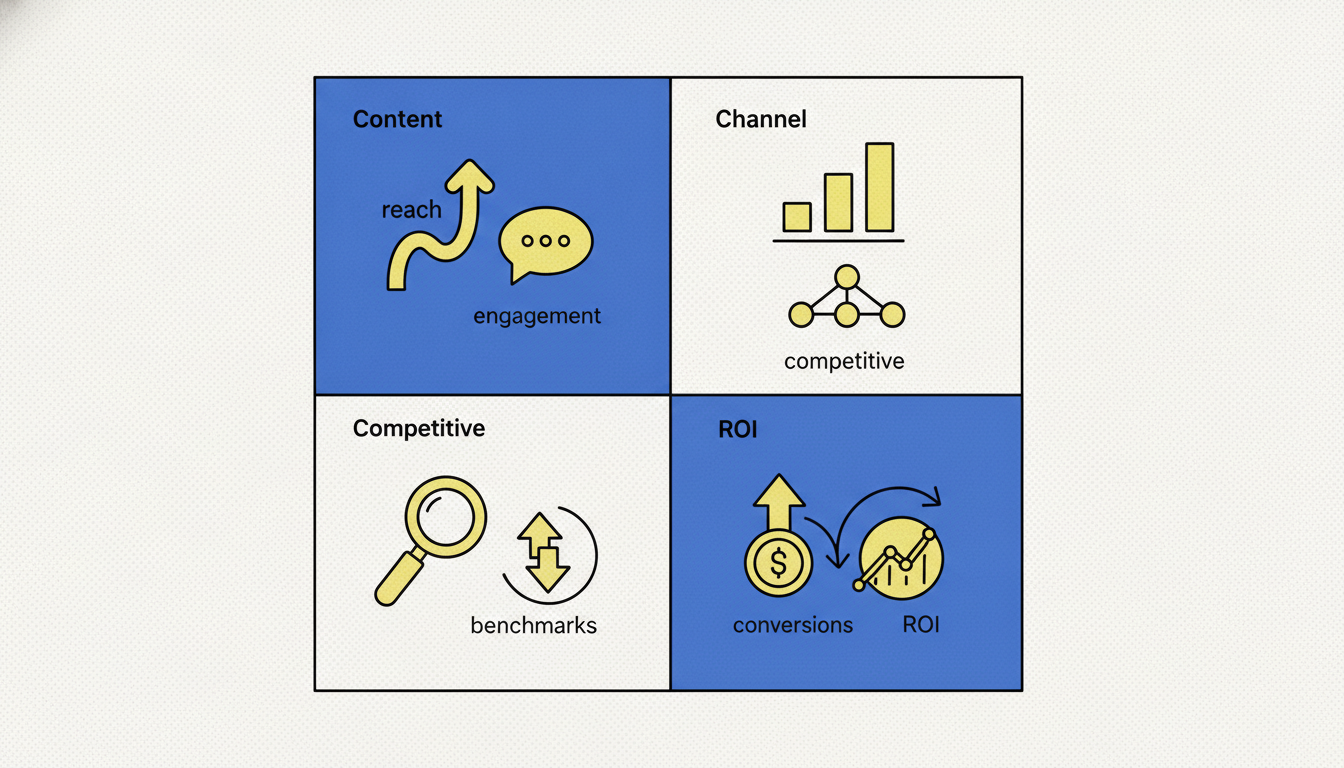
Before comparing vendors, define what decisions you need analytics to support:
- Content decisions: Which formats, hooks, and topics deserve more budget?
- Channel decisions: Where is audience growth actually happening?
- Competitive decisions: Are rivals outpacing you on the same platforms?
- ROI decisions: Which posts and campaigns drive business outcomes?
If you only need owned-channel reporting, a scheduling tool with analytics may be enough. If you need to reverse-engineer competitor strategy, you need a competitive intelligence layer on top.
When we audit marketing stacks for agencies, we consistently find they have two or three analytics tools but still can't answer "why is our competitor's engagement 3x ours?" That question requires CI, not analytics. The tools in this list are labeled by which job they actually do: not what the vendor homepage claims.
How we evaluated these tools
Each tool below was scored on four criteria:
- Platform depth: Instagram, TikTok, LinkedIn, YouTube, Facebook coverage
- Reporting quality: Exports, dashboards, client-ready deliverables
- Competitor context: Benchmarks, cross-account analysis, or CI features
- Price vs team size: What a 1-person creator vs 10-person agency actually pays
Pricing is current as of July 2026. Vendors change plans often, so confirm on their sites before buying.
"Social media analytics without competitor context is like grading yourself on a curve where you set the curve. In 2026, the tools that drive real decisions combine owned-channel performance with what rivals are doing on the same platforms and ad channels." - Pengu Insights, July 2026
The 10 best social media analytics tools in 2026
1. Pengu Insights: best for competitor content and ad analytics
Pengu Insights is not a traditional post scheduler. It analyzes competitor content and ads across Instagram, TikTok, YouTube, LinkedIn, and Meta Ads, then surfaces patterns you can act on: hooks, formats, cadence, and creative angles.
Best for: Teams who need competitive context, not just their own account metrics.
Pros:
- Cross-platform competitor analysis from a single URL
- Meta Ads Library integration
- AI pattern detection for hooks and themes
- White-label PDF reports on Pro ($39/mo)
Cons:
- Not a replacement for owned-channel scheduling tools
- No web traffic or SEO analytics (use SimilarWeb for that)
Pricing: Free ($0/mo), Pro ($39/mo), Team ($69/mo). See pricing →
Start free, analyze your first competitor →
2. Sprout Social: best for enterprise reporting
Sprout Social combines publishing, inbox management, and deep analytics in one workspace. Reporting and listening are strongest on higher tiers.
Best for: Larger teams that need polished, client-ready analytics exports.
Pros:
- Excellent report builder and team workflows
- Competitor benchmarking on paid tiers
- Strong Smart Inbox analytics
Cons:
- Per-seat pricing adds up fast ($199+/seat/month on Standard)
- Overkill for solo creators
Pricing: Essentials from ~$99/month; Standard from ~$199/seat/month (Sprout Social pricing)
3. Hootsuite: best for analytics bundled with publishing
Hootsuite wraps scheduling, inbox, and analytics together. Industry benchmarks help contextualize your performance.
Best for: Teams already publishing through Hootsuite who want analytics in the same dashboard.
Pros:
- Broad network support
- Industry benchmark comparisons
- OwlyGPT AI assists for content ideas
Cons:
- Advanced listening requires higher tiers and add-ons
- Analytics depth lags Sprout on enterprise reporting
Pricing: Standard from ~$99/user/month (Hootsuite plans)
4. Iconosquare: best for Instagram and TikTok depth
Iconosquare specializes in visual platforms with strong Instagram and TikTok analytics, benchmarks, and content insights.
Best for: Brands where Instagram and TikTok are primary growth channels.
Pros:
- Deep Instagram metrics (saves, shares, profile visits)
- Improved TikTok analytics vs native dashboards
- Industry benchmarks for context
Cons:
- Less depth on LinkedIn and YouTube
- No Meta Ads creative analysis
Pricing: From ~$59/month (Iconosquare pricing)
5. Metricool: best budget all-in-one
Metricool offers scheduling, analytics, and competitor tracking at a lower price point than enterprise suites.
Best for: Small teams and freelancers who want one affordable dashboard.
Pros:
- Free tier for one brand
- Competitor tracking included
- Clean reporting for clients
Cons:
- Less depth than Sprout or Hootsuite on enterprise workflows
- AI features still maturing
Pricing: Free tier available; paid from ~$22/month (Metricool)
6. Buffer Analyze: best for simple owned-channel metrics
Buffer's Analyze add-on focuses on clean, digestible performance data for teams who already schedule with Buffer.
Best for: Creators who want clarity without enterprise complexity.
Pros:
- Simple, readable dashboards
- Integrates with Buffer publishing workflow
Cons:
- No competitor tracking
- Analyze is a paid add-on on top of scheduling
Pricing: Analyze from ~$50/month on top of Buffer plans
7. Socialinsider: best for cross-brand benchmarking
Socialinsider focuses on analytics and benchmarks across brands and competitors, with strong reporting for agencies.
Best for: Agencies comparing multiple client accounts against category benchmarks.
Pros:
- Competitor and industry benchmarks
- White-label reports
- Multi-brand dashboards
Cons:
- No scheduling (analytics only)
- Higher entry price for full feature set
Pricing: From ~$149/month (Socialinsider)
8. Brandwatch: best for enterprise social listening analytics
Brandwatch combines large-scale social listening with advanced analytics and sentiment modeling.
Best for: Enterprise brands with dedicated insights teams.
Pros:
- Massive data archive
- Advanced sentiment and topic analysis
- Custom dashboards
Cons:
- Enterprise pricing ($1,000+/month)
- Steep learning curve
Pricing: Enterprise, custom quotes
9. Native platform analytics: best free starting point
Instagram Insights, TikTok Analytics, LinkedIn Analytics, and YouTube Studio are free and accurate for owned-channel data.
Best for: Bootstrapped teams validating channels before paying for tools.
Pros:
- Free and always available
- Authoritative source for your own metrics
Cons:
- Siloed per platform, no cross-channel view
- No competitor context
Pricing: Free
10. Google Analytics 4: best for site outcomes from social
GA4 tracks what happens after the click: sessions, conversions, and revenue from social referrals.
Best for: Teams optimizing for website conversions, not vanity metrics.
Pros:
- Free
- Connects social to business outcomes
Cons:
- Not a social content analytics tool
- Attribution gaps on dark social
Pricing: Free
Analytics vs competitive intelligence
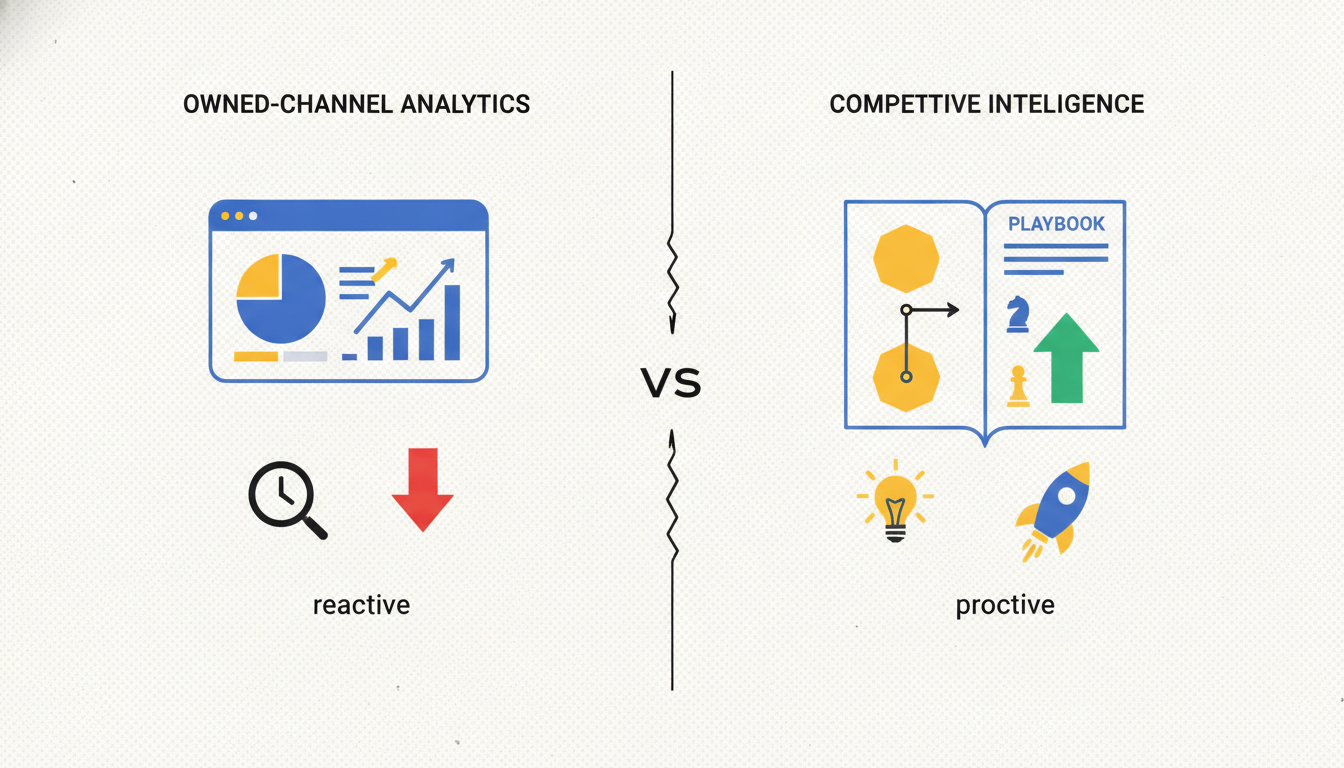
| Social media analytics | Competitive intelligence | |
|---|---|---|
| Primary question | How did our content perform? | What are rivals doing, and why is it working? |
| Data source | Your accounts | Competitor accounts and ads |
| Output | Reports, KPIs, trends | Playbooks, creative patterns, strategic moves |
| Tools | Sprout, Hootsuite, Iconosquare | Pengu Insights, Socialinsider |
Most growth teams need both. Analytics without competitor context tells you what happened. CI tells you what to try next.
Explore our free tools for lightweight analysis before upgrading.
How to pick the right tool
You need owned-channel reporting only: Native analytics + Metricool or Buffer Analyze
You need client-ready enterprise reports: Sprout Social or Hootsuite
Instagram/TikTok are your core channels: Iconosquare
You need competitor content and ad intelligence: Pengu Insights
You're on a tight budget: Native analytics + Pengu Insights free plan (30 credits/month)
We've seen teams spend $400/month on analytics tools and still not know why a competitor's content is outperforming theirs. The issue isn't the tool: it's the question. Start by deciding what decision you're optimizing for, then find the tool that answers it. Everything else is dashboard noise.
For the TikTok-specific split between native analytics and paid tools, see TikTok analytics tools.
Frequently asked questions
What is the best social media analytics tool in 2026?
It depends on your goal. Sprout Social leads for enterprise reporting depth. Iconosquare is strong for Instagram and TikTok analytics. Pengu Insights is best when you need competitor content and ad intelligence, not just your own account metrics. Metricool offers strong value for small teams on a budget.
What is the difference between social media analytics and monitoring?
Analytics measures performance of your content (reach, engagement, clicks, conversions). Monitoring tracks mentions, keywords, and conversations about your brand. Many tools blur the line, but the use case is different.
Are there free social media analytics tools?
Yes. Native platform analytics (Instagram Insights, TikTok Analytics, LinkedIn Analytics) are free. Metricool offers a free tier for one brand. Pengu Insights includes a free plan with 30 credits per month for competitor analysis.
How much do social media analytics tools cost?
Entry pricing ranges from free (native analytics, Metricool free tier) to around $59/month (Iconosquare) and $99-199/month (Hootsuite, Sprout Social). Enterprise suites can exceed $399/seat/month. Confirm current pricing on each vendor's site.
Can social media analytics tools track competitors?
Some can. Sprout Social, Iconosquare, and Socialinsider offer competitor benchmarking for owned-channel metrics. Pengu Insights goes further by analyzing competitor content, hooks, and ad creative across social and Meta Ads.
Start with one metric that matters
Pick the single KPI your team argues about most (engagement rate, save rate, click-through, or competitor share of voice). Build your stack around that decision, not the flashiest dashboard.
Start free with Pengu Insights →
Compare plans on pricing or read our social media monitoring tools guide for the monitoring side of the stack.
Written by

Founder of Pengu Insights. Competitive intelligence practitioner for DTC brands and marketing agencies.