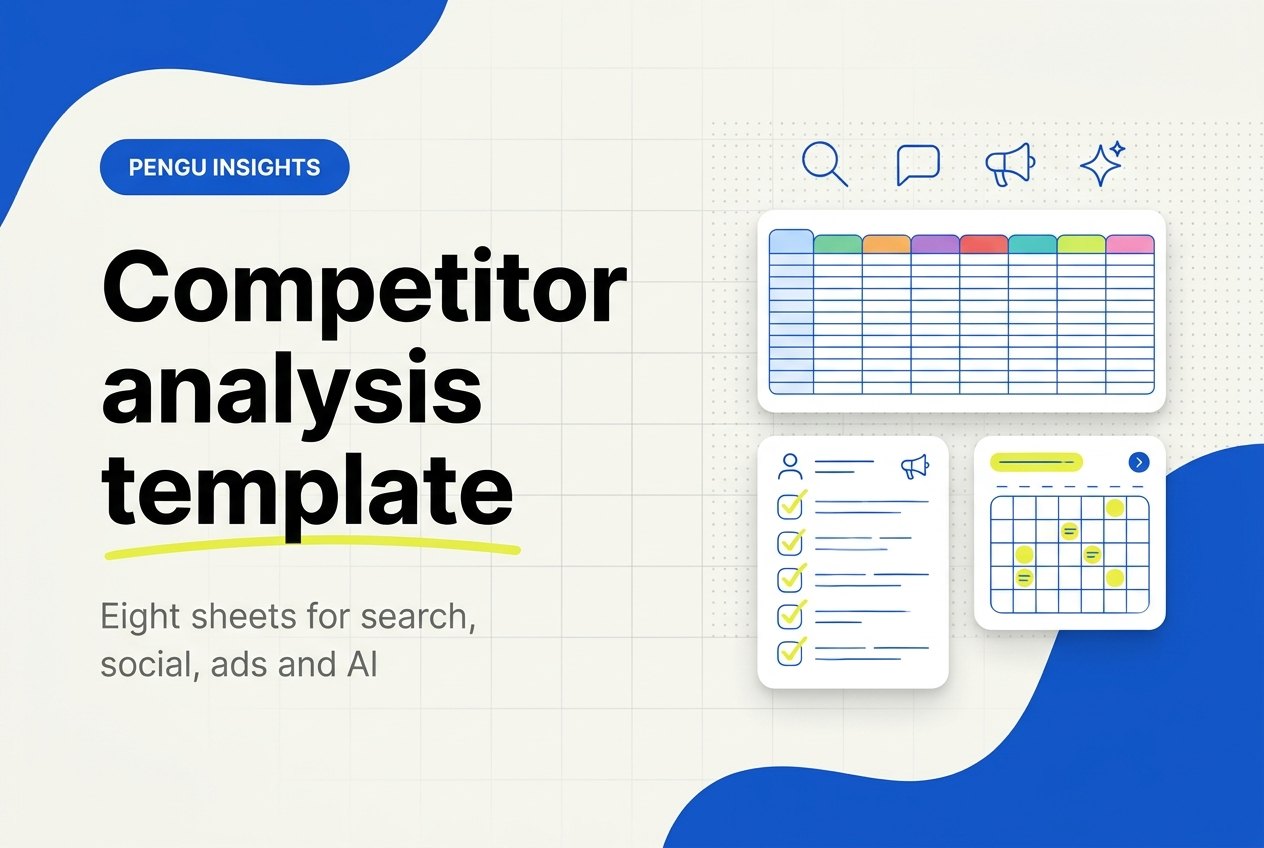
A competitor analysis template is a spreadsheet that makes you collect the same facts about every rival, from the same sources, on the same date. Ours has eight sheets and takes about three hours to fill. Download the Excel template, free and without an email.
Most templates that rank for this search are general business templates: a SWOT grid, a feature matrix and one column called "marketing". This one is built for marketers. It gives a sheet to each channel where you actually lose customers (search, social, paid ads and AI answers), names a free source for every column, and ends with a monthly routine of about 70 minutes. If you work in Google Sheets or Airtable, the CSV of the overview sheet imports in one step.
Key takeaways
- Eight sheets, one question each: Overview, Search, Social, Ads, AI answers, Pricing and offer, SWOT and Actions.
- About three hours for the first pass on five competitors, and about 70 minutes a month to keep it current.
- Every column names a free source: Meta Ad Library, Google Search Console, and our free website traffic checker and competitor keyword finder.
- The Overview fills three columns by itself from the Search, Ads and AI answers sheets, so you type each number once.
- The Actions sheet is the point. A finding without an owner and a due date is research, not analysis.
Video: how to structure a competitor analysis
Three minutes from Visme on the order of the work: products first, then strengths and weaknesses, pricing and marketing.
Three things worth taking from it:
- Start with what they sell and how they position and price it, and record it in a worksheet so you compare like with like. That is the Overview sheet.
- Pricing is more than the sticker price. Look at the discounts, how often promotions run and how customers react to them. The Pricing and offer sheet has a column for promotions seen in the last 30 days for that reason.
- Marketing means channels: whether they run PPC, build a community or invest in content. The video's example is Clearscope using educational webinars to position itself as the expert.
Where we differ: the video treats marketing as one step. The template below gives each channel its own sheet and a free data source, and adds AI answers, which the video does not cover.
What is in this competitor analysis template?
The workbook has eight sheets. Each one answers one question, and each column says where its number comes from. The times are our estimates for one person working on five competitors.
| Sheet | The question it answers | Free sources | First pass | Monthly refresh |
|---|---|---|---|---|
| Overview | Who are they, and where do they beat us? | The other seven sheets | 20 minutes | 5 minutes |
| Search | What do they rank for, and what does it bring them? | Website traffic checker, competitor keyword finder, Search Console | 25 minutes | 10 minutes |
| Social | Which platform and format earns their engagement? | Public profiles | 30 minutes | 10 minutes |
| Ads | What do they pay to say, and for how long? | Meta Ad Library, Google Ads Transparency Center, LinkedIn Ad Library | 20 minutes | 10 minutes |
| AI answers | Do ChatGPT and Google AI Overviews recommend them? | ChatGPT, Google search | 25 minutes | 15 minutes |
| Pricing and offer | What does a buyer pay, and what is the hook? | Pricing pages, ads, emails | 20 minutes | 5 minutes |
| SWOT | What does the evidence add up to? | The sheets above | 20 minutes | 5 minutes |
| Actions | What will we do, who owns it, by when? | Your team | 15 minutes | 10 minutes |
Every sheet uses the same layout: a header row, a grey row that says what goes in each column and where to get it, a yellow example row with made-up numbers, and blank rows for your competitors. Blue-tinted columns calculate themselves. Use the exact same competitor name on every sheet, because the Overview looks it up.
How do you fill in the template, sheet by sheet?
Fill it in this order, not in tab order, because the Overview depends on the sheets after it. Start with five competitors: three direct (same product, same buyer) and two indirect (a different product that solves the same problem). Our guide to examples of competitors helps if you are not sure which is which.
Step 1: Search (25 minutes)
Run each domain through the free website traffic checker, set to the country where your customers are. It returns estimated monthly search traffic, what that traffic would cost in ads, and how many keywords the site ranks for. Those are columns D, G and H. The estimate counts search visits only, not direct or social visits, so compare competitors with each other rather than with your own analytics.
Then run the same domain through the competitor keyword finder. It lists the 20 keywords that send the site the most search traffic, with position, volume, difficulty, intent and the page that ranks. Copy keyword one, its position and the ranking page.
Last, open Google Search Console, go to Performance and check how many of those 20 keywords your site gets impressions for. The "best keyword gap" column takes one keyword from their list where you have none. That is your next content brief.
For the full walkthrough of a rival's site, from messaging to conversion paths, see how to analyze a competitor website.
Step 2: Social (30 minutes)
One row per competitor per platform. Two platforms each is enough to start. From the public profile, take the follower count and count the posts in the last 30 days. Then average likes plus comments over the last 12 posts, skipping pinned posts. The sheet divides that average by followers to give an engagement rate, so you never work it out by hand.
Note the format of their three best posts and what the best one was about. Format is the column that changes what you publish next month.
Step 3: Ads (20 minutes)
Open the Meta Ad Library, choose the country and "All ads", and search each competitor's page. Count the active ads, note how many started since your last check, and find the oldest active ad. The sheet subtracts its start date from your check date to give days running. An ad that has run for months is one the competitor keeps paying for, which makes it the strongest signal on the sheet.
Our Facebook Ad Library guide shows how to read the filters and the start dates.
Repeat in the Google Ads Transparency Center for ads on Google. Copy the headline of the longest-running ad word for word, plus the offer and the landing page, because the message is what you will compare next month.
If you sell B2B, the LinkedIn Ad Library lists a company's LinkedIn ads the same way. One row per platform keeps the Overview total honest.
Step 4: AI answers (25 minutes)
Write five buyer questions the way a customer would type them, such as "best project management tool for a small agency". Ask each one in ChatGPT and in Google, logged out or in a private window, and log one row per competitor you track. Record the order in which brands appear, the competitor's position, yours, and which pages the answer cites.
The last column matters most: what the answer gets wrong. A wrong price or a missing feature is a page you can fix or write. Our AI visibility tracking guide covers how to choose the prompts and why you keep the wording fixed.
Step 5: Pricing and offer (20 minutes)
One row per plan or product, taken from each competitor's pricing page. Put the monthly price and the annual price per month side by side, and the sheet works out the annual discount. Add the unit (per seat, per client, per item), the three limits that decide the price, the free plan or trial, and any promotion you saw in their ads or emails in the last 30 days.
Step 6: Overview (20 minutes)
Now the summary. Type the name, website and type, their homepage headline word for word, the target customer, the main offer and the entry price. Monthly search traffic, active ads and the number of AI answers that name them fill themselves. Then write two judgments: the channel where they beat you by the widest margin, and the one thing they do that could take a customer from you this quarter. Give every row one owner.
Step 7: SWOT (20 minutes)
Write the SWOT from the evidence, not from memory. Every line points to a sheet and a row, and a line with no evidence gets deleted. That one rule separates this sheet from the SWOT grids in most templates.
Step 8: Actions (15 minutes)
Three to five actions a month, each from a finding, each with one owner, a due date and the result you expect to see. To compare those results against a baseline over time, competitive benchmarking covers how to normalize the numbers first.
What does a filled-in row look like?
This is the example row from the workbook. Flowmark is a fictional project management tool for agencies, and every number here is illustrative, made up to show the format. Do not quote them.
| Sheet | Column | Example value | What it tells you |
|---|---|---|---|
| Search | Est. monthly search traffic | 18,400, up from 16,900 last month | Growing in search |
| Search | Top keyword and position | "project management for agencies", position 4 | Close to owning your main term |
| Search | Best keyword gap | "client approval software" | A page you can write first |
| Social | LinkedIn followers, average likes and comments | 12,400 followers, 95 per post | Document carousels carry the account |
| Ads | Active Meta ads, oldest start | 9 ads, oldest from 20 July 2026, 104 days running | That message works for them |
| Ads | Message of that ad | "Stop chasing client approvals in email" | The pain they sell against |
| AI answers | Position in a ChatGPT answer | Named second of four brands | Recommended, and you are absent |
| AI answers | What the answer gets wrong | Says they have a free plan; they have a 14-day trial | A fact for your comparison page |
| Pricing and offer | Team plan | $15 a month, or $12 a month billed annually, per seat | The annual discount is their lever |
| Actions | Action | Comparison page for "client approval software" by 21 November | Owner: Dana |
Read across the rows and the story is short. Flowmark wins on search and on one long-running ad, ChatGPT recommends it, and nobody owns "client approval software" yet. That is one action with a date, which is what the template is for.
How do you keep it current every month?
Block 70 minutes on the first Monday of the month and work in this order:
- Copy last month's traffic into column E of Search, then rerun the two tools (10 minutes). The change column shows who grew.
- Recount social for the last 30 days (10 minutes). Followers, posts, average engagement and the top format only.
- Check the ad libraries (10 minutes). New ads since the last date checked, and whether the oldest ad still runs.
- Ask the same five prompts again (15 minutes). Same wording every month, or the comparison means nothing.
- Reload the pricing pages (5 minutes). Change a row only if something moved, then update its date.
- Update the Overview and the SWOT (10 minutes). Rewrite only the lines the new evidence changed.
- Review last month's actions (10 minutes). Mark each one done or dropped, then add the new ones.
Change the date checked on every row you touch. A row older than 35 days is stale, and stale rows are how a team ends up arguing about a price that changed in September.
Once you track more than five competitors, or report on them to a client every month, the copying is the part worth automating. Pengu Insights is ours, so weigh this accordingly: Starter at $39 a month plus VAT runs the search, social and Meta Ad Library steps, and Pro at $69 adds tracking for ChatGPT and Google AI Overviews, plus a Prompt Explorer that asks ChatGPT, Claude, Gemini and Perplexity (plans and limits). It does not cover YouTube analytics in the app, so that stays manual in the sheet.
Common mistakes
- Too many competitors. Ten rows filled badly lose to five filled well. Add a sixth only when one of the five stops mattering.
- Paraphrasing their positioning. Copy the headline word for word. Rewriting it in your words is how teams convince themselves they are different.
- Cells without dates. Prices, ads and AI answers move monthly. A number without a date checked is a guess.
- Comparing estimates with your analytics. Search traffic estimates count search visits only. Compare competitors with each other, and use Search Console for your own site.
- Changing the prompts every month. AI answers vary on their own. New wording on top of that makes the trend unreadable.
- A SWOT with no evidence column. If a strength cannot point to a row, it is an opinion.
- No Actions sheet. The analysis is finished when someone owns a task with a date, not when the cells are full.
How we built this template
We read the templates ranking for "competitor analysis template" in the US on 1 November 2026. The ones we read center on company profiles, feature matrices and SWOT grids, and none has a sheet for AI answers. So we designed the columns around sources that are free and repeatable every month: if a column needs a paid tool or a guess, it is not in the template. The times in the table are our estimates for one person and five competitors, based on how long each source takes to read, and your first pass may run longer.
The free tools named here are ours, which is why we say what they measure and what they leave out: the traffic checker estimates search visits only, and the keyword finder shows a domain's top 20 keywords, not the full list. The example row is fictional on purpose, so nobody mistakes it for a benchmark.
Frequently asked questions
How do you structure a competitor analysis?
Who they are and what they sell, then one sheet per channel (search, social, ads, AI answers), then pricing, a SWOT written from that evidence, and actions with owners and dates.
How do I do a competitor analysis with a template?
Pick five competitors, fill one sheet at a time starting with Search, keep the competitor name identical on every sheet, date every row, and finish with three to five actions.
Is there a free competitor analysis template in Excel?
Yes. Our workbook has eight sheets, comes with a CSV of the overview sheet, needs no email, and opens in Google Sheets too.
What free tools can I use for competitor analysis?
The Meta Ad Library, Google Ads Transparency Center and LinkedIn Ad Library for ads, Search Console for your own search data, ChatGPT and Google for AI answers, and our free traffic checker and keyword finder for a rival's search.
How often should you update a competitor analysis?
Monthly for search, social, ads, AI answers and pricing, with an immediate update when a competitor announces a price change. Rebuild the competitor list once a year.
What to do next
In short: download the workbook, pick five competitors and fill the Search sheet first, because it takes 25 minutes and usually produces your first action. Download the competitor analysis template and keep the yellow row open as a guide while you work.
For the search columns, every tool you need is on our free tools page, no account required.
When the monthly copying starts to eat an afternoon, start free in Pengu Insights: the free plan includes 80 credits at sign-up, enough to try the search and social steps on one competitor.
Written by

Founder of Pengu Insights. Competitive intelligence practitioner for DTC brands and marketing agencies.