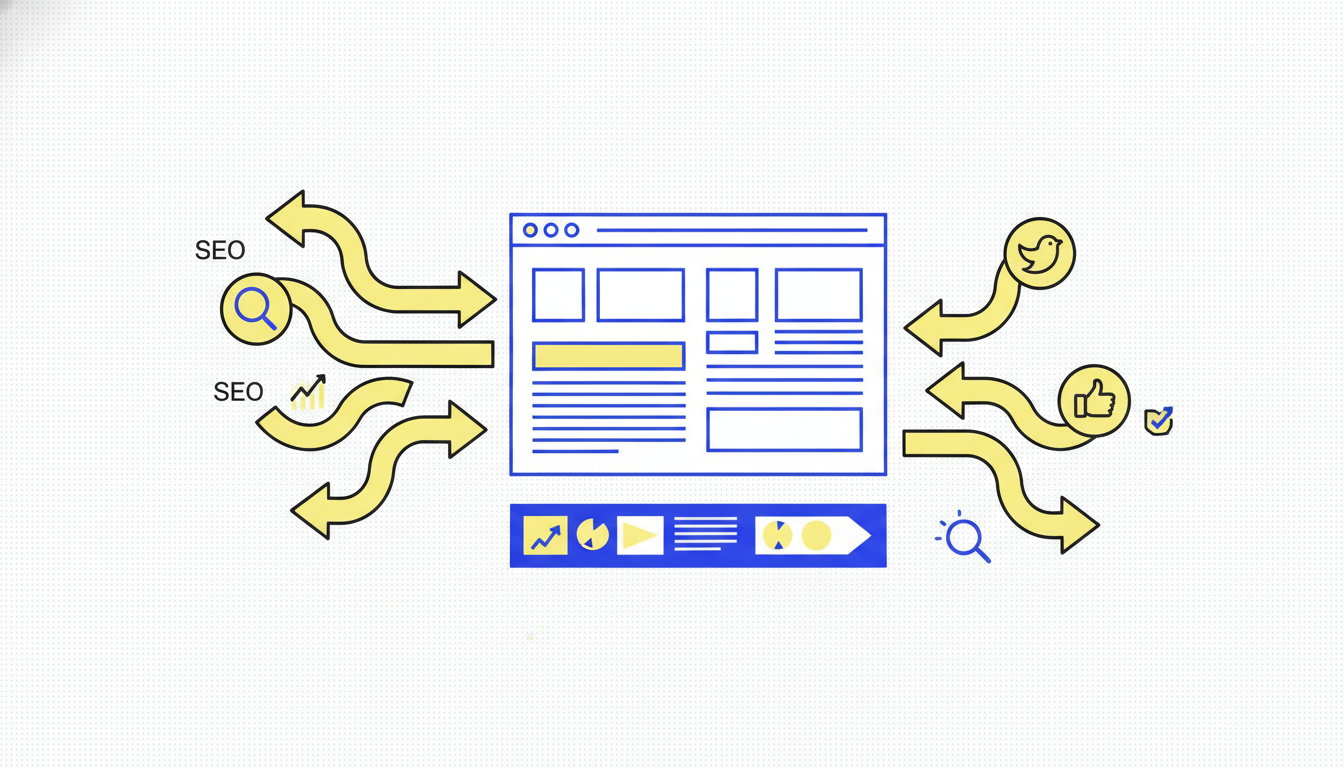
Your competitor's website is their pitch deck, and learning to analyze a competitor website is learning to read it. Every headline, case study, and pricing toggle is a clue about who they want to win and how they plan to do it. Website analysis is how you read those clues without guessing.
In 2026, Ahrefs' July study on AI Overviews confirmed that 76% of AI citation sources come from pages ranking in the top 10 organic results (Ahrefs, July 2025). Understanding a competitor's website isn't just about understanding their sales pitch. It's about understanding which pages are winning search and AI citation: and why. The best website analyses connect what you see on the site to how prospects discover and evaluate the competitor in the wild.
Key takeaways
Before the walkthrough, two free tools do the first half of it in a minute: the website traffic checker for how much search traffic a rival gets, and the competitor keyword finder for the keywords that bring it.
- Homepage and pricing tell you positioning. Everything else is supporting evidence.
- Traffic tools estimate, they do not certify. Treat SimilarWeb numbers as directional.
- SEO overlap reveals content battles. Keywords you both target are zero-sum.
- Social and ads show how they drive traffic. The site is the destination, not the full story.
What competitor website analysis includes
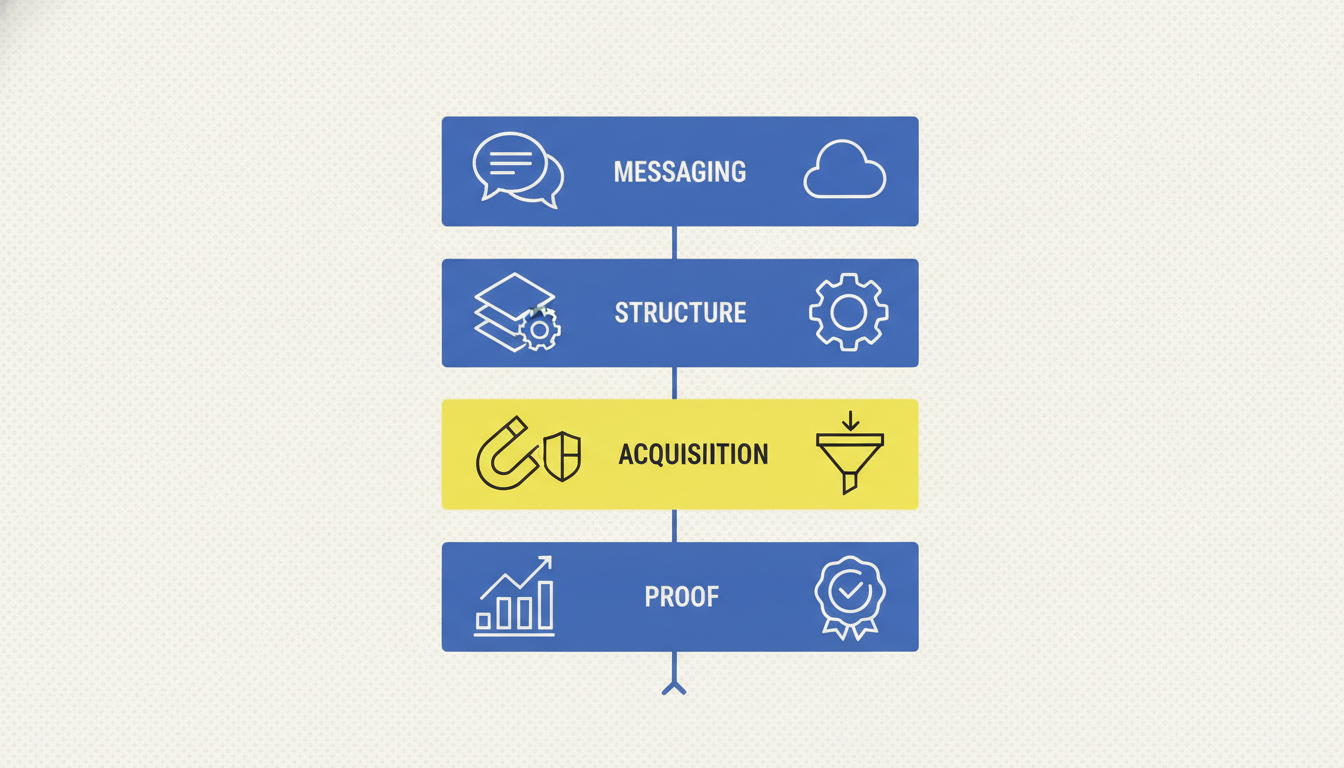
A complete analysis covers four layers:
- Messaging layer: Who they serve, what they promise, how they differentiate
- Structure layer: Site architecture, key pages, conversion paths
- Acquisition layer: SEO keywords, estimated traffic, social referral patterns
- Proof layer: Testimonials, logos, case studies, review sentiment
Skip any layer and you risk copying the wrong conclusions.
Most teams do layers 1 and 4 (messaging and proof) and skip 2 and 3 (structure and acquisition). That's backwards. Structure tells you what the competitor thinks converts. Acquisition tells you where their traffic actually comes from. Those two layers predict their next move more reliably than their homepage headline.
How we structured this guide
This workflow is built for marketers and agency strategists who need actionable output in one sitting. In our experience running CI sprints for clients, 60-90 minutes is enough for a solid single-competitor analysis. We separate public website signals from traffic/SEO estimates and social acquisition data so you know which tool to use at each step.
"A competitor's website is a public document. Their ad creative is a public test result. Their review page is a public verdict. Together, these three sources answer most questions you'd pay a research firm thousands to answer, if you know what to look for." - Pengu Insights CI Framework, 2026
Step-by-step: analyze a competitor website
Step 1: Capture the messaging snapshot (15 minutes)
Review these pages and take screenshots or notes:
- Homepage (headline, subhead, primary CTA)
- Pricing (tiers, limits, trial terms)
- Product or features page
- Top case study or customer story
- About page (founder story, mission, team size signals)
Document:
- Primary ICP they speak to
- Main promise in one sentence
- Top 3 proof points they repeat
- Primary CTA (demo, free trial, contact sales)
Step 2: Map the conversion path (10 minutes)
Click through as if you are a buyer:
- Land on homepage
- Follow primary CTA
- Note form fields, friction, social proof on signup flow
- Check thank-you page or onboarding emails (if trial)
Look for: urgency tactics, objection handling, comparison pages, ROI calculators.
Step 3: Estimate traffic and top pages (15 minutes)
Use SimilarWeb, Semrush, or Ahrefs (if you have access) for:
- Monthly visit estimates (directional only)
- Top traffic sources (search, social, direct, referral)
- Highest-traffic pages
- Geographic split if relevant
Honest caveat: Traffic tools sample data. Use them to compare competitors relative to each other, not as absolute truth.
Tool fit: SimilarWeb for traffic mix; SpyFu or Semrush for keyword overlap.
Step 4: Analyze SEO overlap (15 minutes)
Identify keywords where you compete directly:
- Brand keywords (their name vs yours)
- Category keywords ("social media analytics tool," etc.)
- Problem keywords ("how to analyze competitors")
Document:
- Keywords they rank for that you don't
- Content types winning (blog, tools, comparison pages)
- Pages you could realistically compete on this quarter
Tool fit: SpyFu, Semrush, Ahrefs. Pengu Insights does not replace SEO tools.
Step 5: Check tech and experience signals (10 minutes)
Optional but useful:
- BuiltWith or Wappalyzer for tech stack (CMS, analytics, chat widgets)
- Page speed (Google PageSpeed Insights)
- Mobile experience (manual check on phone)
- Blog cadence and content freshness
Step 6: Connect website to social and ads (15 minutes)
This step separates a good analysis from a useful one. Ask:
- Which social platforms link back to their site most?
- What landing pages do they promote in Meta Ads?
- Do TikTok or Instagram bio links match current campaigns?
- What content themes drive link clicks?
Tool fit: Pengu Insights for competitor social content and Meta Ads patterns. Manual check of their active profiles for quick validation.

The social-to-site connection is where most teams find their biggest surprises. A competitor with mediocre SEO can still drive significant qualified traffic via TikTok or LinkedIn. When we analyzed CI for a B2B SaaS client, we found their main rival was getting 40% of demo requests from LinkedIn video content: not from organic search. The website looked weak in SimilarWeb. The actual acquisition story was totally different.
Step 7: Write three actions (5 minutes)
Every analysis ends with decisions:
- One messaging change for your site or ads
- One content or SEO page to create or update
- One sales or positioning talk track to add
If you cannot name three actions, the analysis was too broad.
Tools for competitor website analysis
SimilarWeb: traffic estimates and channel mix
Pros: Clear traffic source breakdown, good for comparing multiple rivals Cons: Estimates can be off for small sites; premium data is expensive Pricing: Limited free preview; paid from ~$125+/month
SpyFu / Semrush: SEO and keyword overlap
Pros: Keyword gaps, ranking pages, ad history (SpyFu) Cons: Learning curve; pricing adds up for full suites Pricing: SpyFu from ~$39/month; Semrush from ~$139/month
BuiltWith: tech stack detection
Pros: Fast snapshot of CMS, analytics, marketing tools Cons: Does not explain strategy, only infrastructure Pricing: Free limited lookups; paid plans available
Pengu Insights: social and ads acquisition layer
Pros: Shows how competitors promote their site through content and Meta Ads; surfaces hooks and landing angles Cons: Not a website traffic or SEO tool
Pricing: Free ($0/mo), Pro ($39/mo), Team ($69/mo). See pricing →
Honest gap: Use Pengu for the social/ads side. Pair with SimilarWeb or SpyFu for traffic and keywords. That combination covers acquisition better than any single tool.
Website analysis checklist
| Layer | What to capture | Tool |
|---|---|---|
| Messaging | ICP, promise, CTAs | Manual review |
| Conversion | Signup flow, friction | Manual review |
| Traffic | Visits, sources, top pages | SimilarWeb |
| SEO | Keyword overlap, content gaps | SpyFu, Semrush |
| Tech | CMS, analytics, chat | BuiltWith |
| Acquisition | Social and ad promotion | Pengu Insights |
| Actions | 3 decisions for your team | Your doc |
Common mistakes to avoid
Mistake 1: Copying their homepage headline. Context differs. Extract the principle (social proof lead, outcome lead), not the exact words.
Mistake 2: Trusting traffic numbers as fact. Use ranges and comparisons.
Mistake 3: Ignoring social acquisition. A beautiful site with weak distribution is a different threat model than a mediocre site with viral TikTok.
Mistake 4: One-and-done analysis. Competitors redesign, reprice, and reposition. Quarterly refresh minimum.
Frequently asked questions
How do you analyze a competitor website?
Start with their homepage and pricing page, then review traffic estimates, top landing pages, SEO keywords, conversion paths, and how they promote the site on social and paid channels. Document findings as actions, not observations.
What tools analyze competitor websites?
SimilarWeb and SpyFu are common for traffic and SEO. BuiltWith shows tech stack. Pengu Insights adds how competitors drive traffic through social content and Meta Ads. Hotjar-style tools are not available for competitor sites, so focus on public signals.
Is analyzing competitor websites legal?
Yes, when you use publicly available information: public pages, published pricing, public social content, and ad libraries. Do not access private accounts, scrape behind logins, or violate terms of service.
What metrics matter most in competitor website analysis?
Traffic trend, top pages, keyword overlap, messaging clarity, offer structure, and social referral patterns. Vanity traffic alone is less useful than understanding which pages convert and why.
Can I analyze a competitor website for free?
Yes. Start with manual review of their site, Google search results, and social profiles. SimilarWeb and SpyFu offer limited free previews. Pengu Insights free plan covers how competitors promote their site on social and ads.
Run the analysis this week
Pick one competitor. Block 90 minutes. Work through all seven steps. Share three actions with your team Friday.
Start free with Pengu Insights → to map how they promote their site on social and ads.
Related reads: competitor product analysis, competitor analysis examples, and our free tools.
Written by

Founder of Pengu Insights. Competitive intelligence practitioner for DTC brands and marketing agencies.